- From your logged-in account, click on the Property Connection tab in which you would like to create a User (excluding your My Account Tab)
- Click on the Users button from the Main Menu
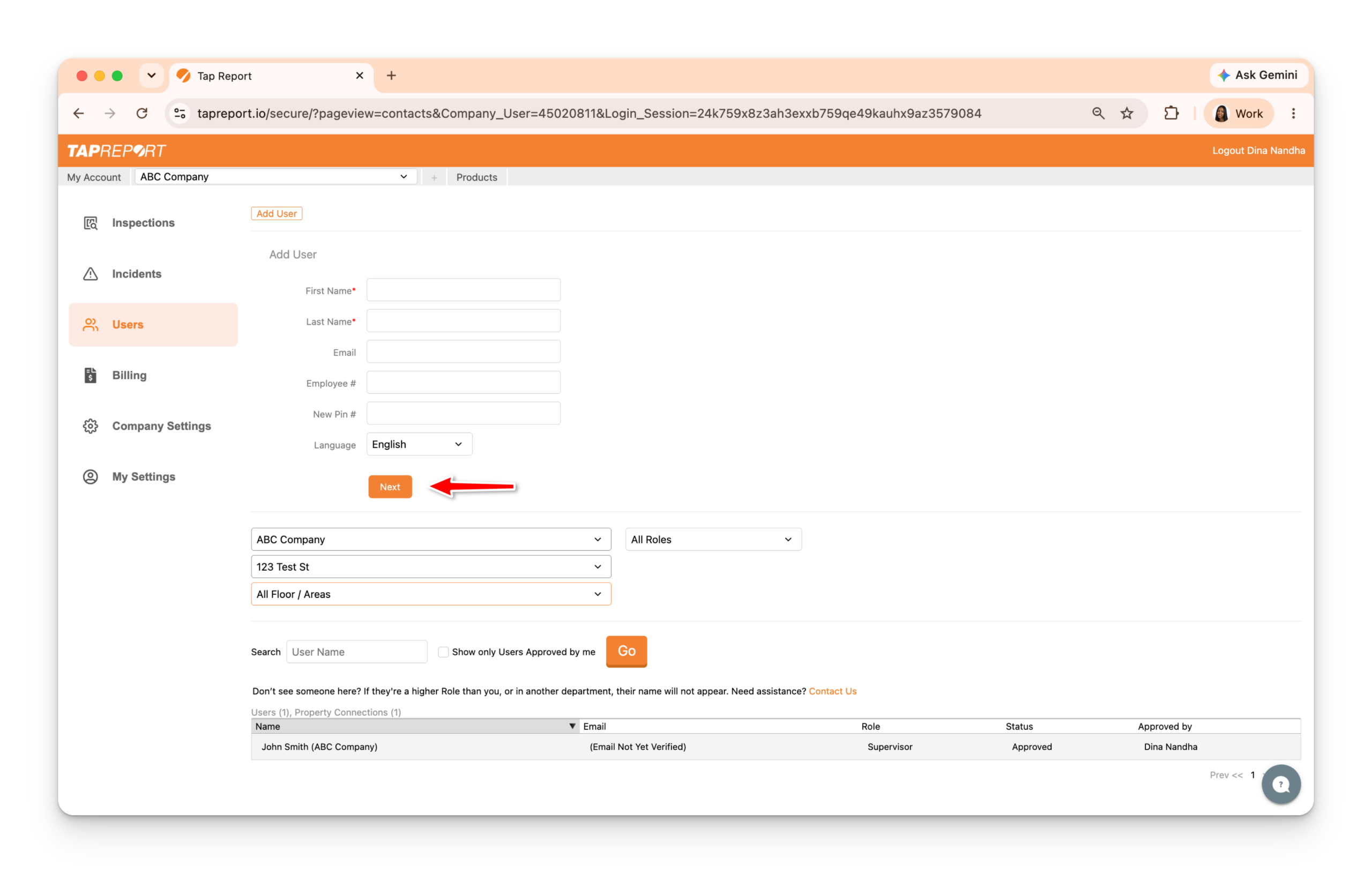
- Click on Add User
- Enter the User’s account information (Input their First Name, Last Name, Email or Employee #, and Pin #)
- Click Next
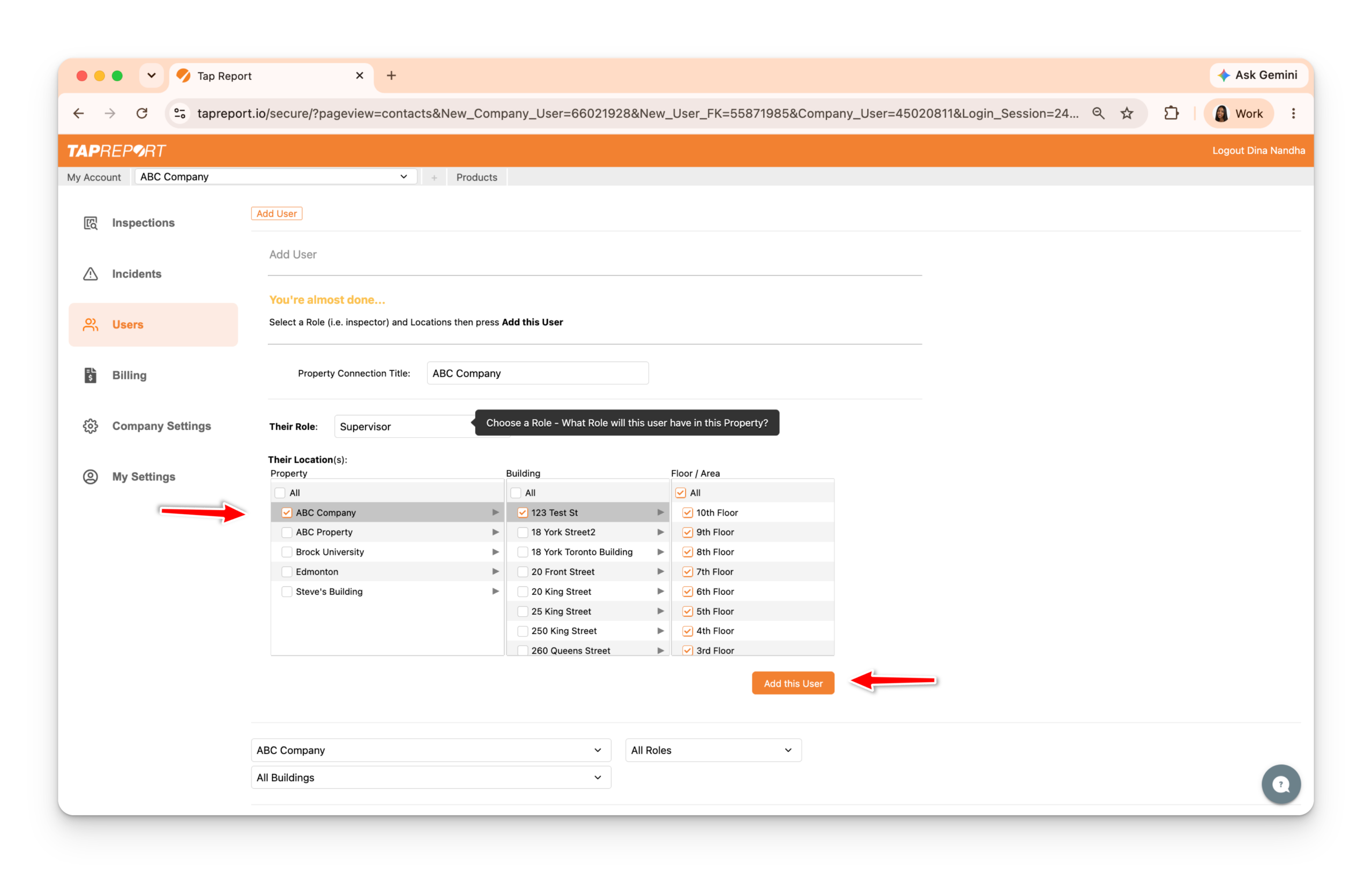
6. Enter the User’s Property Connection information (Select their Role and Location)
7. Click Add this User