There are several ways to see “a list of Annual Planner items coming due“. The two most common are:
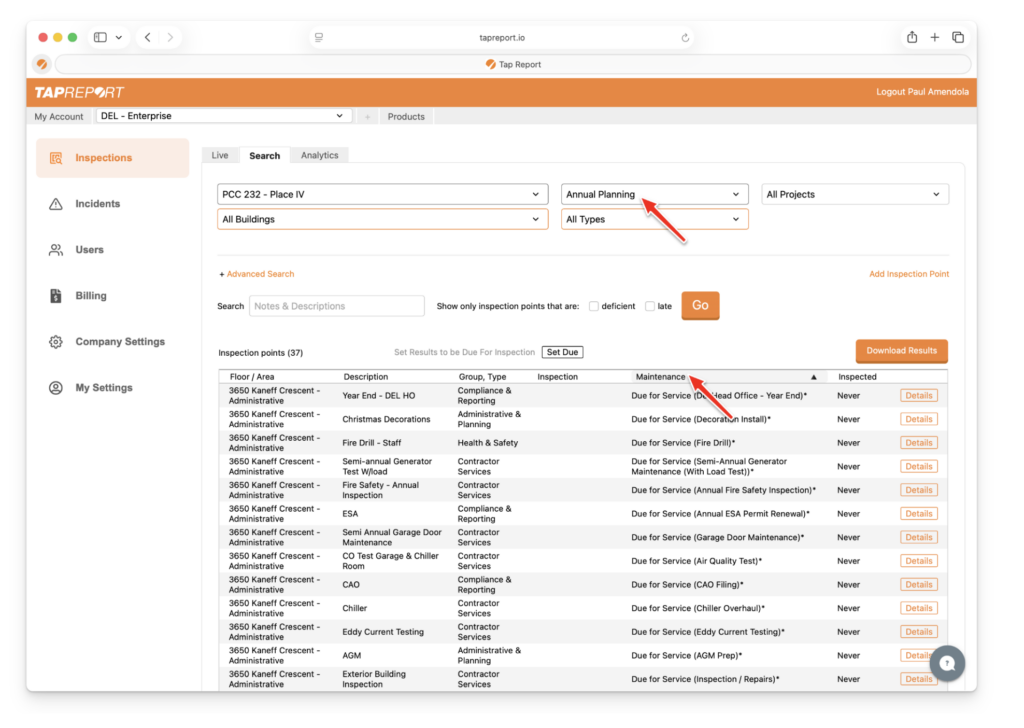
- From your logged-in account, select the Property Connection tab that view your Annual Planner items
- Then press Inspections > Search and sort by the “Maintenance” column. From here you can either press on an inspection point to view or edit.
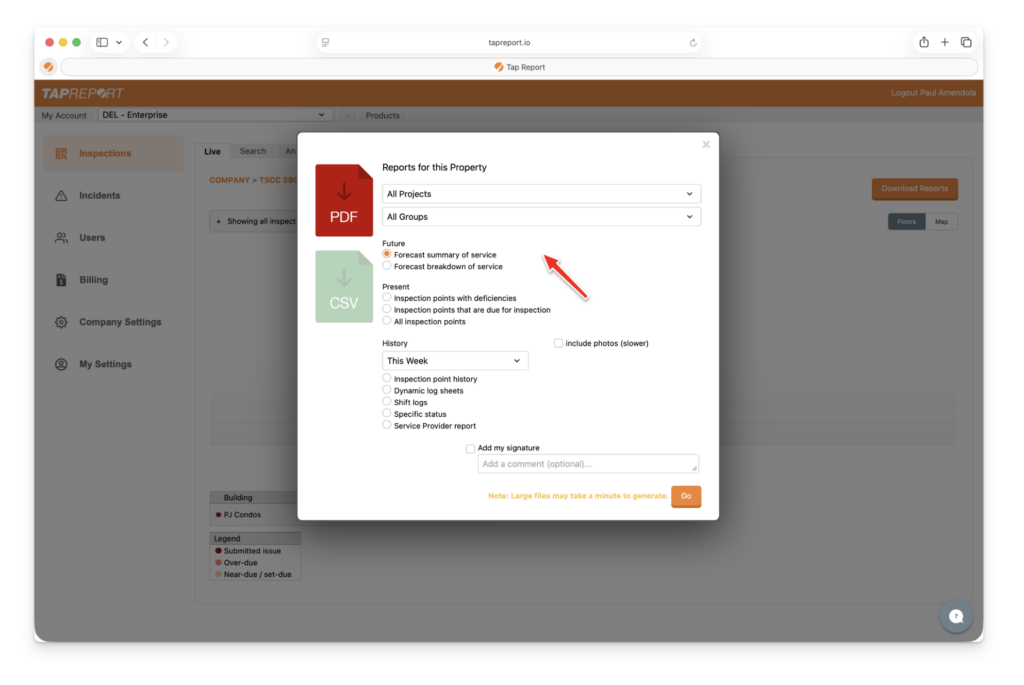
- Another way is to press on your Property and Download Reports. Then select Forecast Summary of Service to generate a PDF to see what’s coming due for the next 12 months.
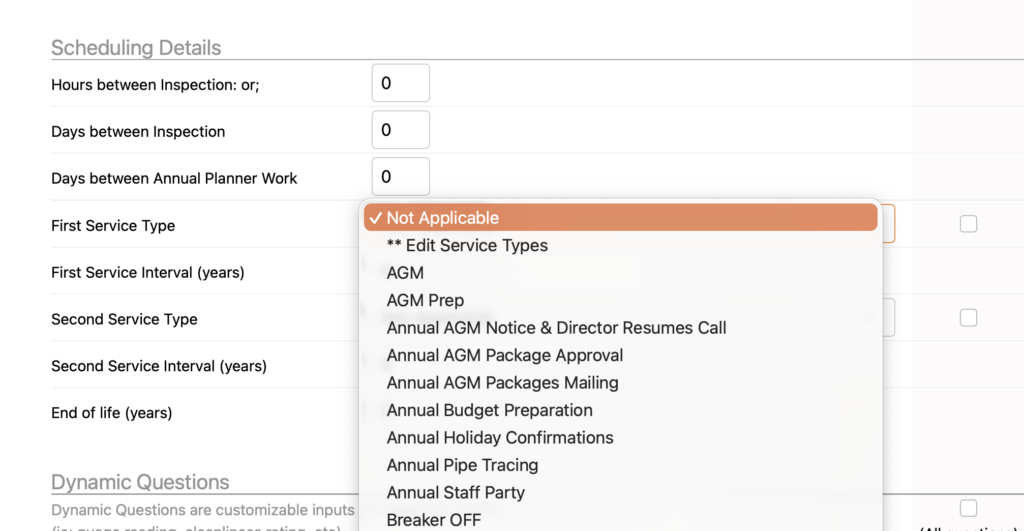
Note: To add additional Service Dates, press Company Settings > Inspection Types, then select the Inspection Type, then scroll to “Scheduling Details” and under Service Type drop-down select this and press ** Edit Service Types.