- From your logged-in account, select the Property Connection tab that you would like to add inspection points to
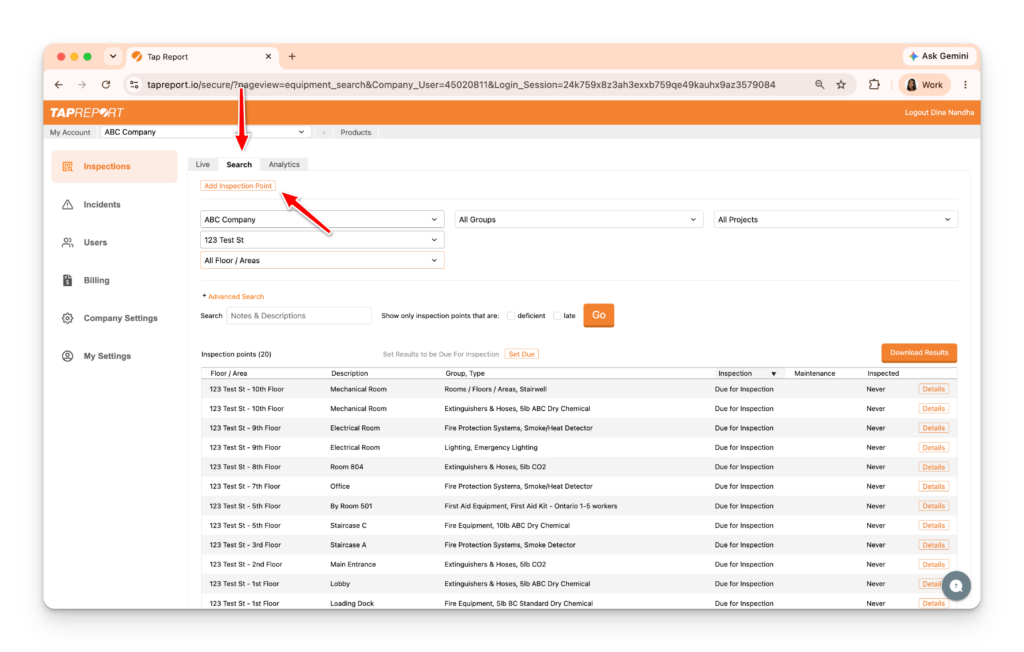
- Press the Search tab, then press Add Inspection Point
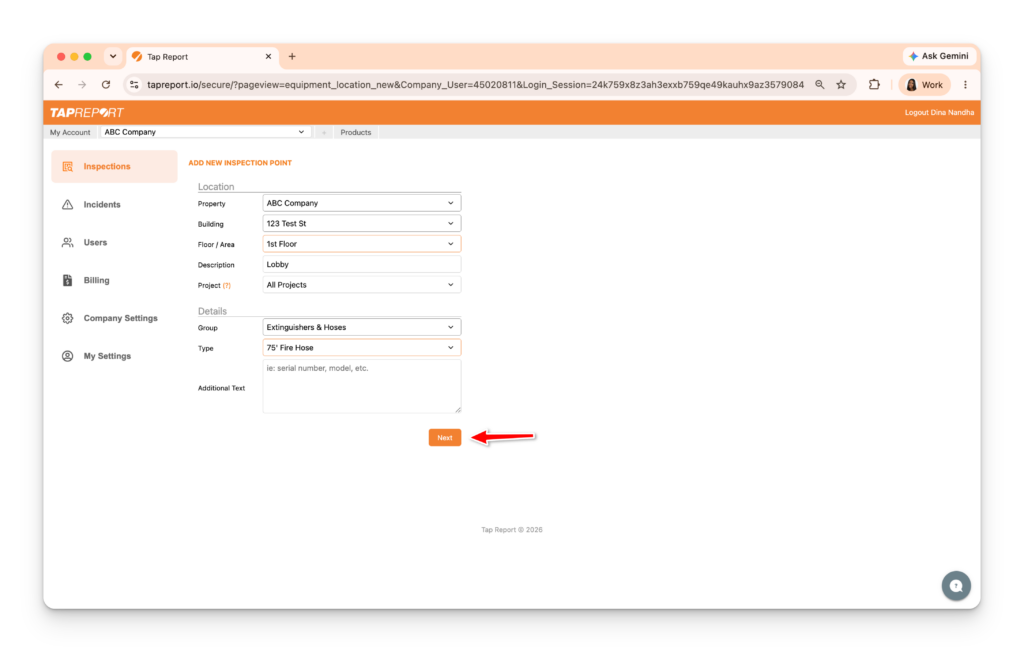
- Input the details. Press Next
Choose to “link” the inspection point online with a physical Smart Tag by logging in on the app and using the Replace/Activate Tag feature.