- Click on Inspections from the Main Menu
- Press the Search tab
- Press + Advanced Search
- Check the Archived box and press Go
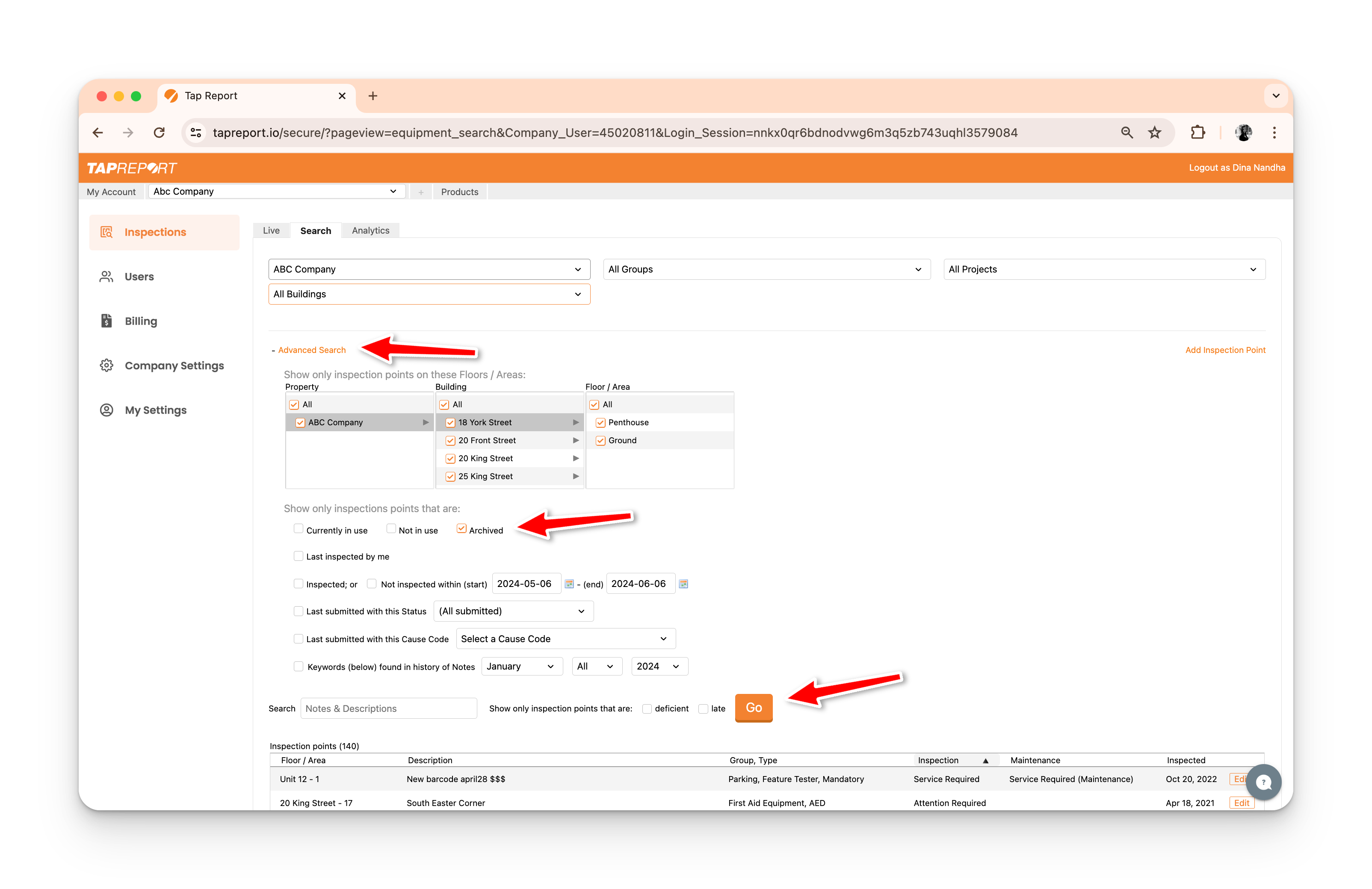
5. Press Details for the inspection point you wish to restore
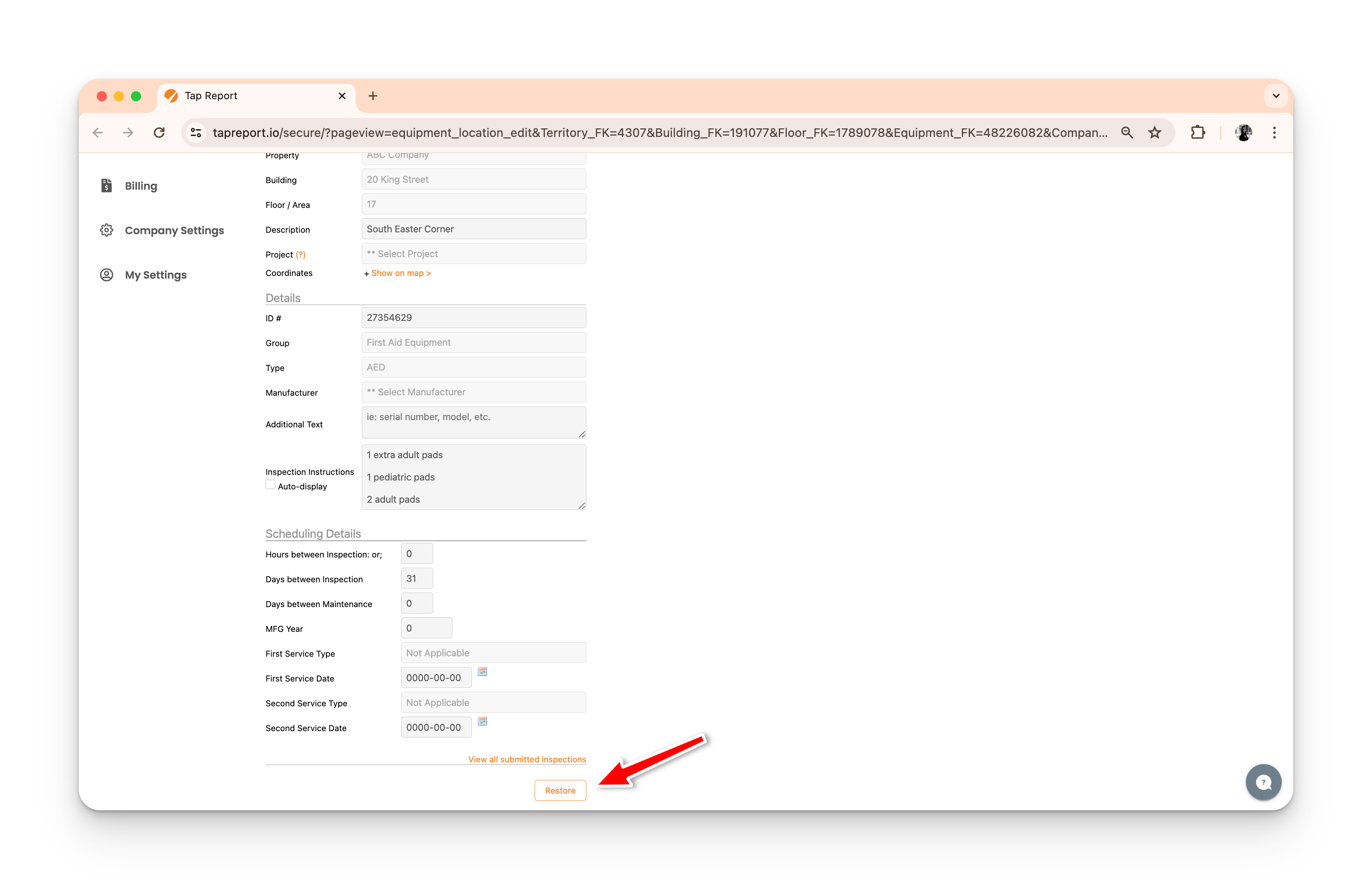
6. Scroll down and press Restore
5. Press Details for the inspection point you wish to restore
6. Scroll down and press Restore